Puzzle + solution workflow
A word-search generator with answer keys that match
An answer sheet is only useful if it marks the words in the final puzzle—not an earlier draft. Puzlith builds both views from the same placements and lets you inspect them before you download a book.
Inspect a puzzle and its solutionWhy matching answers matter
When a grid is regenerated after the solution page is made, the coordinates can go stale. Re-typing an answer key by hand invites another mismatch. The safest workflow is to keep each placed word and its path attached to the puzzle that readers actually see.
Puzlith verifies that selected words were placed and that their stored paths trace through the final grid. Its preflight shows a problem before the edition is marked ready, while the preview lets you make the editorial call.
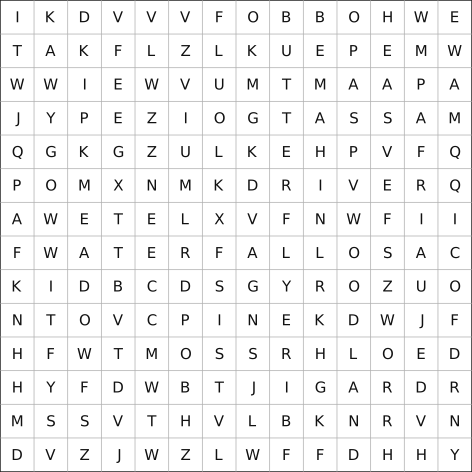
A five-minute answer-key check
1. Edit the word list
Remove duplicates, check spelling and confirm that the vocabulary suits the book theme.
2. Build the edition
Choose the grid and difficulty, then let Puzlith create the puzzle pages and solution paths together.
3. Compare both views
Pick an early, middle and final puzzle. Trace a few words in the grid and compare the highlighted answer view.
4. Read the book map
Confirm that instructions, puzzle pages and answer pages appear in the intended order.
One puzzle or a complete book?
A printable worksheet needs a grid, a word bank and one solution. A paperback also needs coherent themes, instructions, page order, readable margins and enough varied puzzles to reward the reader. Puzlith is designed for the second workflow, while its free demo lets you examine the first pages before buying.
- Same placement data drives puzzle and solution views
- Preflight checks missing words and incorrect traces
- Book map shows puzzle and answer-page order
- PDF and 300 DPI PNG exports unlock after payment
What still needs a human proof?
A technically correct path does not guarantee a satisfying puzzle. Review accidental repeated words, odd letter combinations, monotonous themes and the amount of space readers have to mark answers. For a paperback, inspect the exported interior at print size and run Amazon KDP's separate Print Previewer before publication.
If you are preparing a roomier edition, use our large-print word-search guide. For the complete workflow from theme to cover, see how to make a word-search book.
Check a real sample in your browser.
Open the demo, generate an edition, then switch between Puzzles and Solutions. The watermarked preview is free; clean exports and private saving require one $47 payment.
Try Free Demo